GokuTrap v3.2.0 Production Release

Total Client Control for Roblox

An open-source custom bootstrapper and launcher engineered for performance enthusiasts, competitive players, and visual modders. Manage FastFlags, customize client assets, track live telemetry, and unlock high framerates effortlessly.

Windows 10 / 11 (64-bit)
MIT Licensed
.NET 6.0 / 10 Compatible
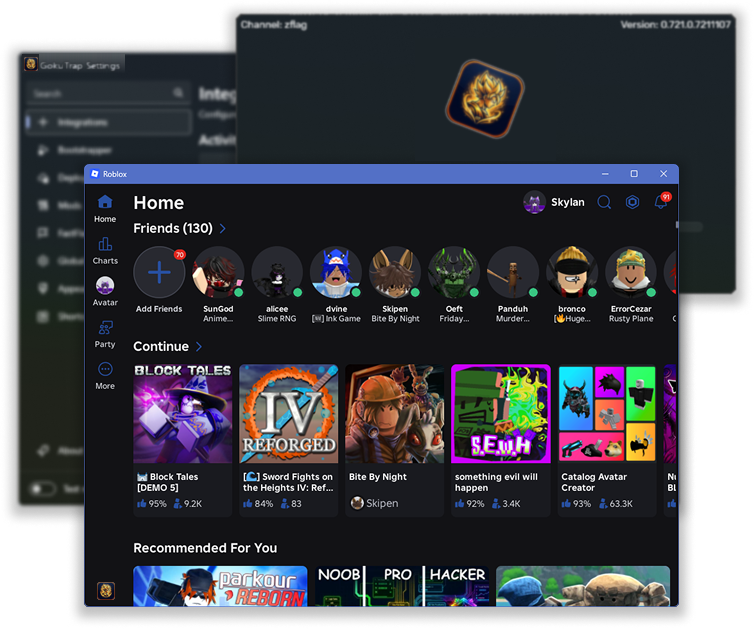
GokuTrap Launcher and Settings UI Showcase

A Modern Toolkit for Your Client

Built from the ground up to replace outdated bootstrappers with a reliable, responsive, and customizable launcher.

FastFlags Management

Direct control over the game engine's internal configuration flags. Unlock framerates, select custom rendering backends (Direct3D 11, Vulkan), and optimize performance.

  • Full framerate unlock (up to 240+ FPS)
  • Built-in FastFlag JSON code editor
  • High-DPI display scaling fix

Telemetry & Discord RPC

Rich Discord status integration with real-time place info, game title, and join links. Includes server datacenter queries and geolocation radar.

  • Discord Rich Presence with game thumbnails
  • Server datacenter & IP location query
  • Multi-instance launch support

Client Modifications

Seamlessly apply client modifications without modifying core game files directly. Easy 1-click toggles for audio, cursor packs, custom skyboxes, and typography.

  • Classic character audio (OOF, classic jump/walk)
  • Historical cursors (2006, 2013, or custom)
  • Custom TTF/OTF font injection

Saiyan & Feature Tools (new in v3.2.0)

Seven optional tools in one place. All off by default, all reversible, and all honest about what they can and cannot measure.

  • Process priority & CPU affinity for verified Player instances
  • Sound packs for launcher cues & character audio slots
  • Account profiles & community FastFlag presets
  • Region radar & external click-through crosshair overlay

Where the Roblox platform cannot support a requested capability, GokuTrap reports it as unavailable rather than estimating it. See what’s unavailable and why.

Curated FastFlag Presets

Select a profile below to preview and copy verified configurations for your ClientAppSettings.json.

Competitive & Ultra-Low Latency

Optimized for high-tickrate competitive games. Reduces input latency and geometry overhead.

{
  "DFIntTaskSchedulerTargetFps": 240,
  "FFlagDebugDisableTelemetry": true,
  "FFlagHandleAltEnterFullscreenManually": false,
  "DFIntTextureQualityOverride": 1,
  "FIntCameraFarZPlane": 1800,
  "FFlagGlobalWindRendering": false
}

Where is GokuTrap Installed?

Understand the filesystem structure, installation directories, and execution lifecycle on your PC.

1

Single-File Executable

GokuTrap ships as a self-extracting single-file binary (GokuTrap.exe). It requires zero third-party installers or dependencies.

dotnet publish GokuTrap/GokuTrap.csproj -c Release
2

Standard Target Location

When run, GokuTrap automatically registers and deploys its files into the per-user Local AppData directory:

%LocalAppData%\GokuTrap

Full path: C:\Users\<Username>\AppData\Local\GokuTrap

3

CLI Launch Options

GokuTrap supports explicit command-line switches for scripted deployments and quick navigation:

GokuTrap.exe -menu

Use -preferences for settings, -uninstall for clean removal.

Platform Specifications

Verified environment requirements and platform boundaries for running GokuTrap.

Component Minimum Specification Recommended
Operating System Windows 10 (64-bit, Version 1809+) Windows 11 (64-bit, Version 22H2+)
Processor Architecture x86-64 / AMD64 Compatible x86-64 with AVX2 instruction set
Runtime Environment .NET Desktop Runtime 6.0.0+ Pre-bundled single-file (Self-contained)
Storage Requirement ~150 MB (Core binaries) 500 MB (with custom mods & cache)
Privilege Level Standard User (No administrator rights required) Standard User

Frequently Asked Questions

Find answers to common questions about installation, account safety, and modifications.

Is GokuTrap safe to use and can I get banned?

GokuTrap is an external bootstrapper and launcher. It does not inject DLLs, execute arbitrary bytecode, or manipulate the Roblox process memory. FastFlags are native configuration parameters officially provided by Roblox's game engine. Client mods merely override local asset files before the engine starts.

Where are my configuration and FastFlag files stored?

All settings are located in %LocalAppData%\GokuTrap\Settings.json. FastFlags are written directly to ClientSettings\ClientAppSettings.json within your active Roblox deployment folder under %LocalAppData%\GokuTrap\Versions\.

How do I migrate my existing settings from Bloxstrap or Fishstrap?

GokuTrap includes automated migration logic. If an existing Bloxstrap or Fishstrap directory is detected in %LocalAppData% during initial setup, an import prompt allows transferring your FastFlags, themes, and client mods in one click.

How do I uninstall GokuTrap cleanly?

You can run GokuTrap.exe -uninstall or uninstall it from Windows Settings > Apps > Installed Apps. It cleanly removes all registered shortcuts, registry keys, and temporary files.